
Wellhero: a Bevel alternative for Apple Watch
Open Wellhero in the morning to see your recovery score and the HRV and resting heart rate readings behind it. Use your Apple Watch data to follow your recovery history, then explore your sleep and individual measurements on iPhone.
This guide from the Wellhero team shows how recovery tracking works in the app and what you need to get started.
Download Wellhero on the App StoreStart with your recovery report
Wellhero compares your available HRV and resting heart rate data with your personal baseline. The Recovery screen shows your score, the readings used and charts of your history.
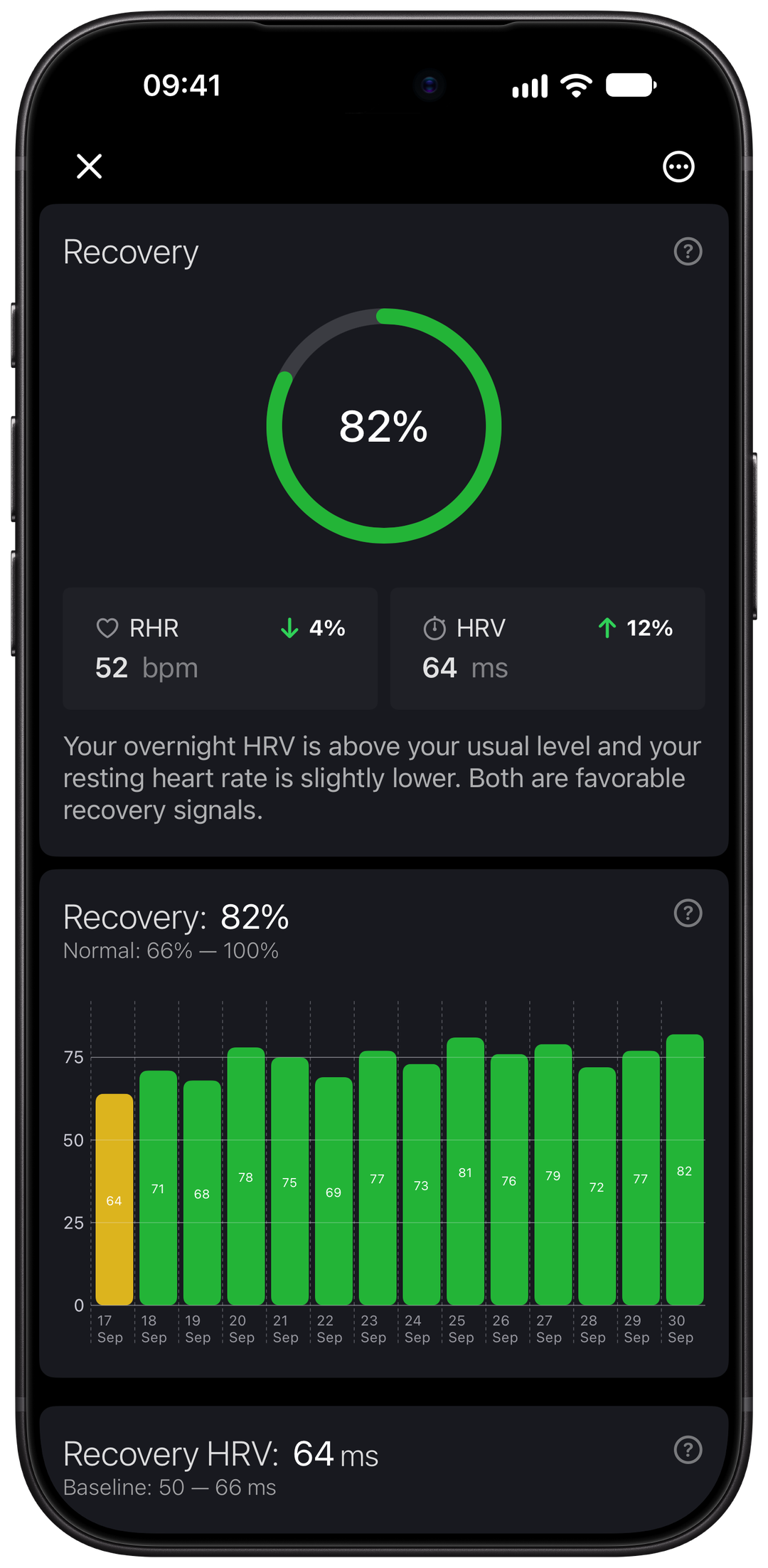
See how today's readings compare with your history
The recovery estimate runs from 0 to 100. Open the report to see how your HRV and resting heart rate compare with your usual levels. As readings accumulate, the charts give you a record to return to.
Recovery HRV is the value selected for that day's assessment. It can come from a morning measurement or the available readings recorded during sleep. The value may change when a morning reading or newly synced sleep data becomes available.
The recovery tracking guide explains the order in which Wellhero checks these sources and what happens when data is missing. Read your score alongside how you feel that day.
Look at the night behind the morning
If you wear Apple Watch during sleep, Wellhero can read the sleep data you allow it to access in Apple Health. Open the sleep report to review duration, stages and the timing of your sleep.
You can also look at sleep consistency and sleep debt in Wellhero. These reports give you a way to review your recent nights alongside recovery. What appears depends on the data recorded by your watch and shared with the app.
For recovery, Wellhero can use HRV readings from the recorded sleep period. Apple Watch does not supply a reading at every moment, so a night with missing HRV data can leave gaps in that history.
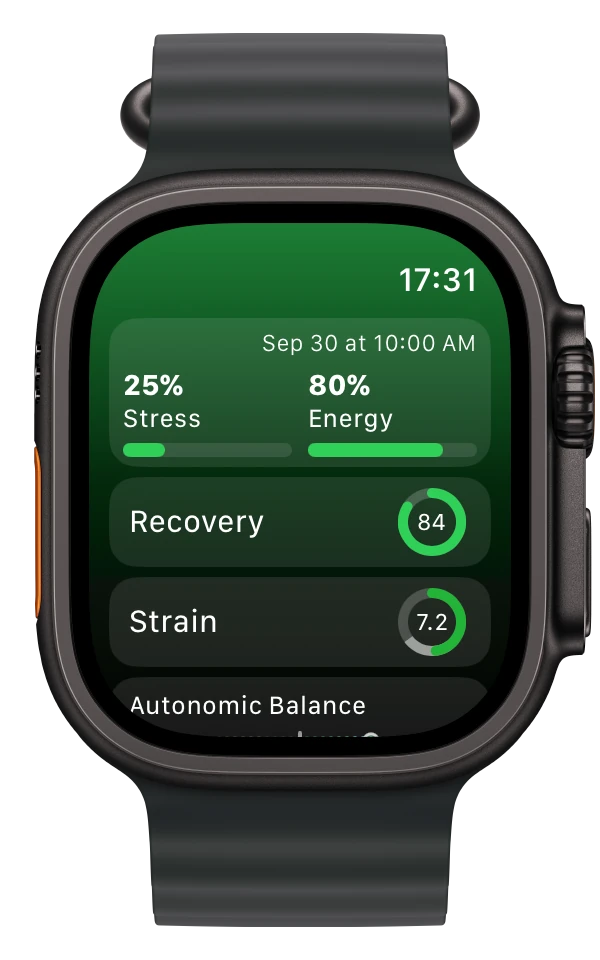
Check your wrist, explore the details on iPhone
The Wellhero watch app shows your latest available stats. The iPhone app holds the detailed reports and history. Check the measurement time when you want to know how recent a result is.
Apple Watch also records background HRV readings that Wellhero can access through Apple Health. Their availability depends on what the watch records and when the data syncs.
To start a measurement yourself, use a Breathe session in Mindfulness. Follow Wellhero's instructions, allow the session to sync and select it for analysis in the iPhone app. You can mark a suitable measurement as your morning reading.
Our Apple Watch HRV app guide walks through manual, background and overnight measurements.
Take a separate HRV measurement
You can also take an HRV reading with your iPhone camera and flash. Wellhero shows the signal and progress during the measurement, then lets you open the result.
Supported measurement reports include a physiological stress estimate. Detailed analysis can show HRV metrics such as SDNN and RMSSD when the recording contains the required data. Some detailed reports require Wellhero Pro.
The iPhone camera measurement guide shows how to position your finger and check the signal. Read about the reports in our stress monitoring overview.
Set up Wellhero with Apple Watch
- Install Wellhero on your iPhone and Apple Watch.
- Allow the Apple Health permissions needed for HRV, heart rate and sleep features.
- Wear your watch during sleep if you want overnight readings, then allow the data to sync.
- Open Recovery on your iPhone. Check the available readings and return as your measurement history grows.
A new recovery baseline needs enough usable history. If your score is missing, check the app's access to Apple Health and whether recent measurements have arrived.
Before you get started
Do I need Wellhero Pro for recovery tracking?
The Recovery score and its HRV and resting heart rate charts are available without Wellhero Pro. Other features and access to older history may depend on your plan. Check the options in the app before subscribing.
Can I use Wellhero without Apple Watch?
Yes. You can use an iPhone camera for HRV measurements. The watch-based sleep and recovery workflows described here use Apple Watch data. See the HRV app for iPhone page for the camera workflow.
What does the recovery score tell me?
It is an estimate based on the available measurements and your history. Wellhero is a wellness app; the score is not a medical diagnosis or a replacement for professional medical care.
Explore your recovery in Wellhero
Connect your Apple Watch data and open the Recovery report to see your available readings.
Download Wellhero on the App Store