
Wellhero: a Welltory alternative for iPhone & Apple Watch
Wellhero brings together HRV measurements, stress estimates and recovery tracking. Take a reading with your iPhone camera or use your Apple Watch data, then explore the results and your history.
This guide from the Wellhero team walks you through the app, from your first measurement to the reports you can return to each day.
Download Wellhero on the App StoreStart with the device you use
You can measure HRV with an iPhone camera and flash. With Apple Watch, you can also use supported Mindfulness sessions and the background readings available through Apple Health.
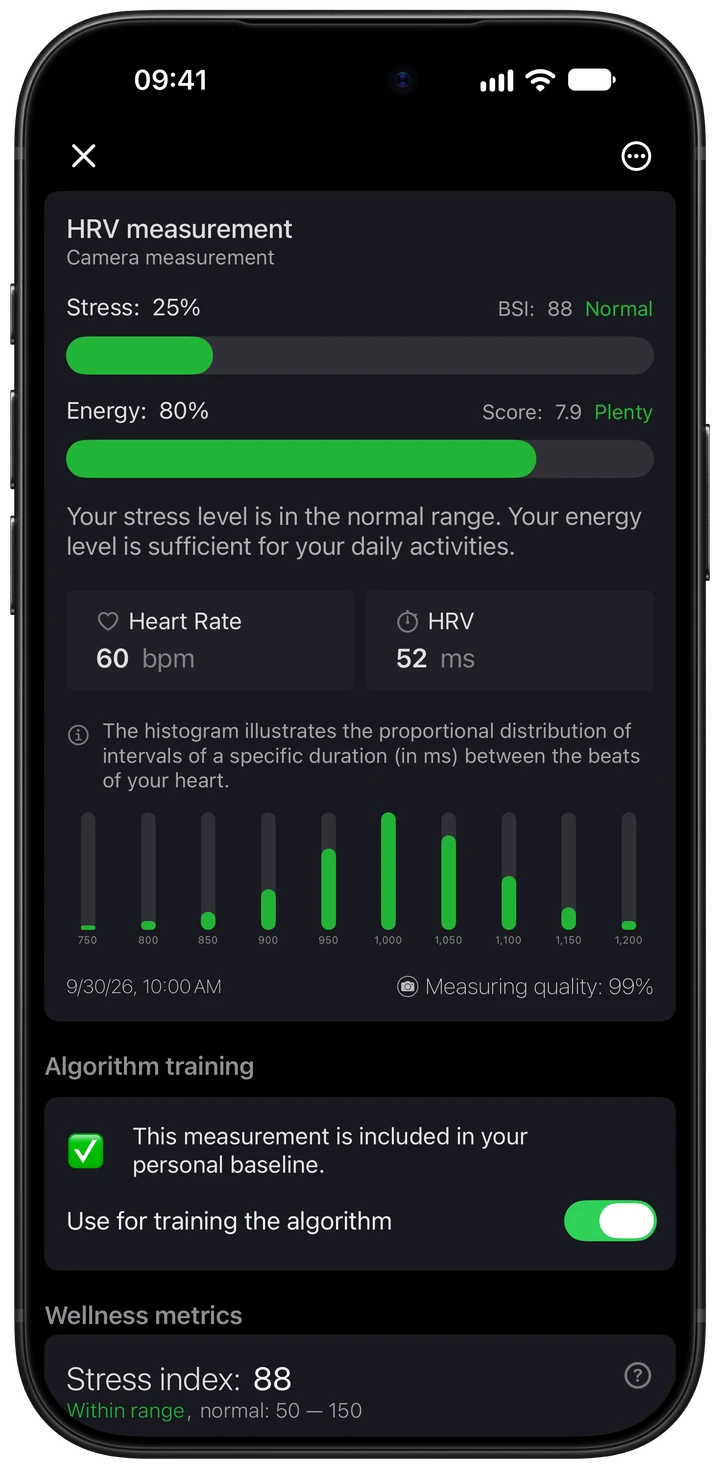
Take an HRV measurement when you have a quiet moment
Open Wellhero's measurement screen and choose your method. For a camera reading, follow the finger-position guide, keep your hand still and watch the signal as the measurement runs. The app shows your progress and gives guidance if the signal needs attention.
After the measurement, open the report to review your heart rate and HRV. Detailed analysis can include SDNN and RMSSD when the recording contains the data needed to calculate them.
The iPhone camera measurement guide shows the steps and explains the signal on screen. You can explore the report in our HRV app for iPhone overview.
Open the report behind your stress estimate
Wellhero calculates a stress estimate from the heartbeat intervals in a supported measurement. The report includes the Baevsky Stress Index, a stress percentage and an energy estimate alongside heart rate and HRV.
Check the measurement quality, then open the charts to look at earlier readings. Wellhero estimates physiological stress; your feelings and what was happening around the measurement add context to the result.
See how stress monitoring works in Wellhero, including the difference between an individual measurement and your daily recovery score.
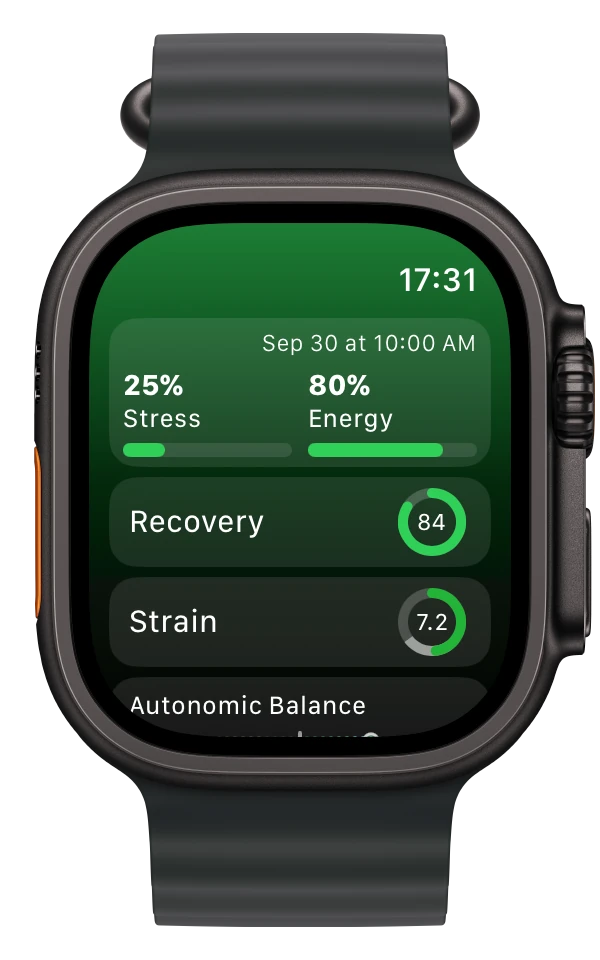
Use Wellhero with Apple Watch
The Wellhero watch app shows your latest available stats on your wrist. Open Wellhero on your iPhone for the detailed reports.
For a measurement you start yourself, open Mindfulness on Apple Watch and choose Breathe. Follow Wellhero's measurement instructions, then allow the session to sync and select it in the iPhone app for analysis.
Wellhero also reads available background HRV measurements through Apple Health. Their timing depends on what Apple Watch records and when the data syncs. Check the timestamp when you want to know how recent a result is.
Our Apple Watch HRV app guide covers manual, background and overnight readings.
Follow recovery against your own baseline
Wellhero's recovery assessment compares available HRV and resting heart rate data with your previous readings. Open Recovery to see your score, the measurements used and their history.
If you wear Apple Watch during sleep and share the relevant Apple Health data, Wellhero can use HRV readings from that sleep period. A morning measurement can also contribute to your daily assessment. The recovery tracking guide explains how Wellhero selects the day's HRV value.
A personal baseline needs measurement history. Give the app time to build that context, and read the estimate alongside how you feel.
Your first steps in Wellhero
- Install Wellhero on your iPhone. If you use Apple Watch, install the watch app too.
- Allow camera access for camera measurements and the Apple Health permissions needed for the features you choose.
- Take a camera measurement or let your Apple Watch data sync. Open an available result and check its measurement time and quality.
- Return to your history as more readings accumulate. For HRV comparisons, keep the measurement method and conditions consistent.
Questions about getting started
Can I use Wellhero with just an iPhone?
Yes. Camera HRV measurements use your iPhone's camera and flash. Apple Watch is needed for the watch-based workflows described here.
Which features require Wellhero Pro?
The iPhone screenshot on this page shows a Pro report. Some detailed analysis and access to older history require a subscription. Check the plans and current prices in the app before subscribing.
Where can I read more about the measurements?
Our HRV metrics guide explains the numbers in a report. The Apple Watch HRV accuracy article reviews published studies and their limitations.
Can Wellhero diagnose a health condition?
Wellhero is a wellness app. Its readings and estimates are not a medical diagnosis or a replacement for professional medical care.
Get to know your readings with Wellhero
Start with a measurement or connect your Apple Watch data, then explore the reports available in the app.
Download Wellhero on the App Store