
HRV app for iPhone
Measure heart rate variability with your iPhone camera. Wellhero shows your results in a detailed report, with charts to track changes over time.
Download Wellhero on the App StoreStart with your iPhone
Follow the camera measurement instructions in Wellhero, then open your report when you’re done. You don’t need an Apple Watch or a chest strap.
How to measure HRV with your iPhone camera: follow the steps and check what to do if the signal is poor.
If you use a wearable, Wellhero also supports Apple Watch measurements and compatible Bluetooth heart rate monitors.
See how our Apple Watch HRV app works with manual, automatic and overnight readings.
For a daily view of your HRV and resting heart rate against your usual levels, explore recovery tracking with Apple Watch.
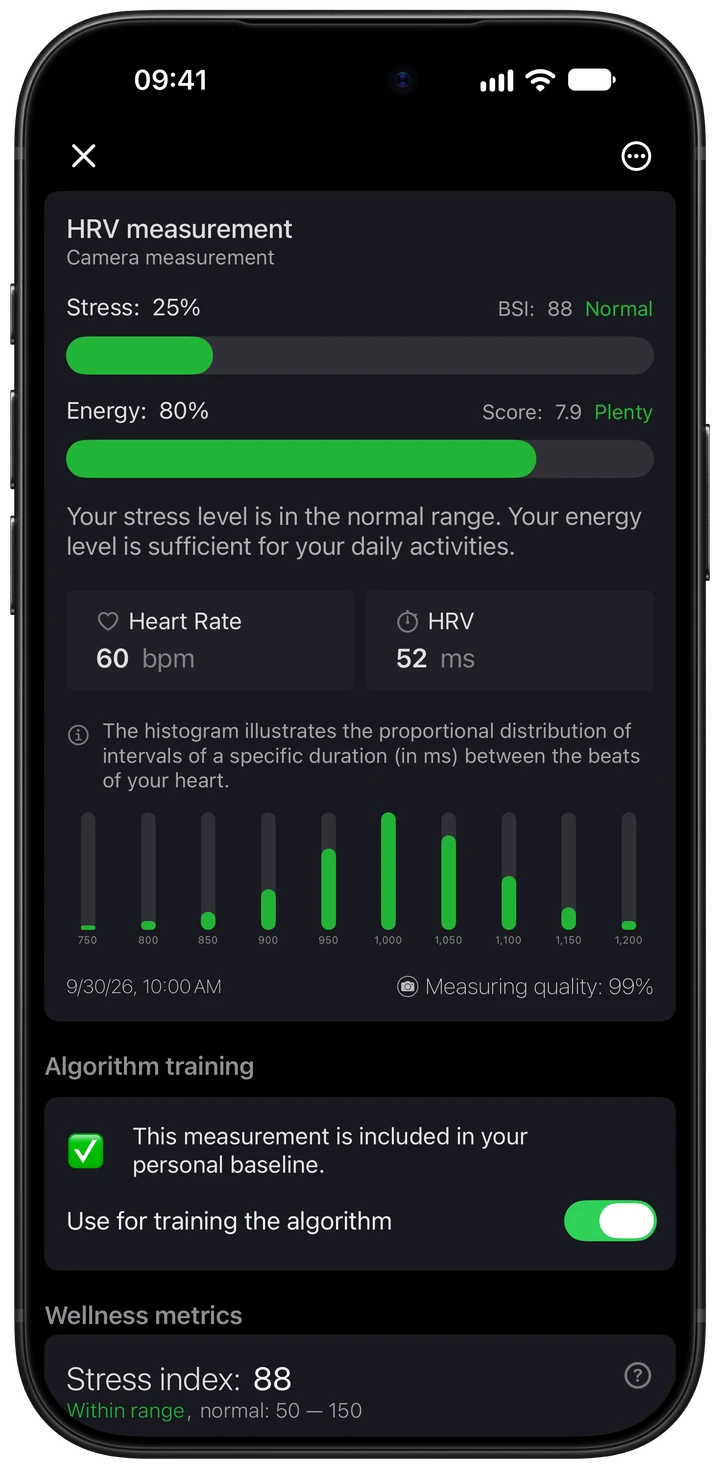
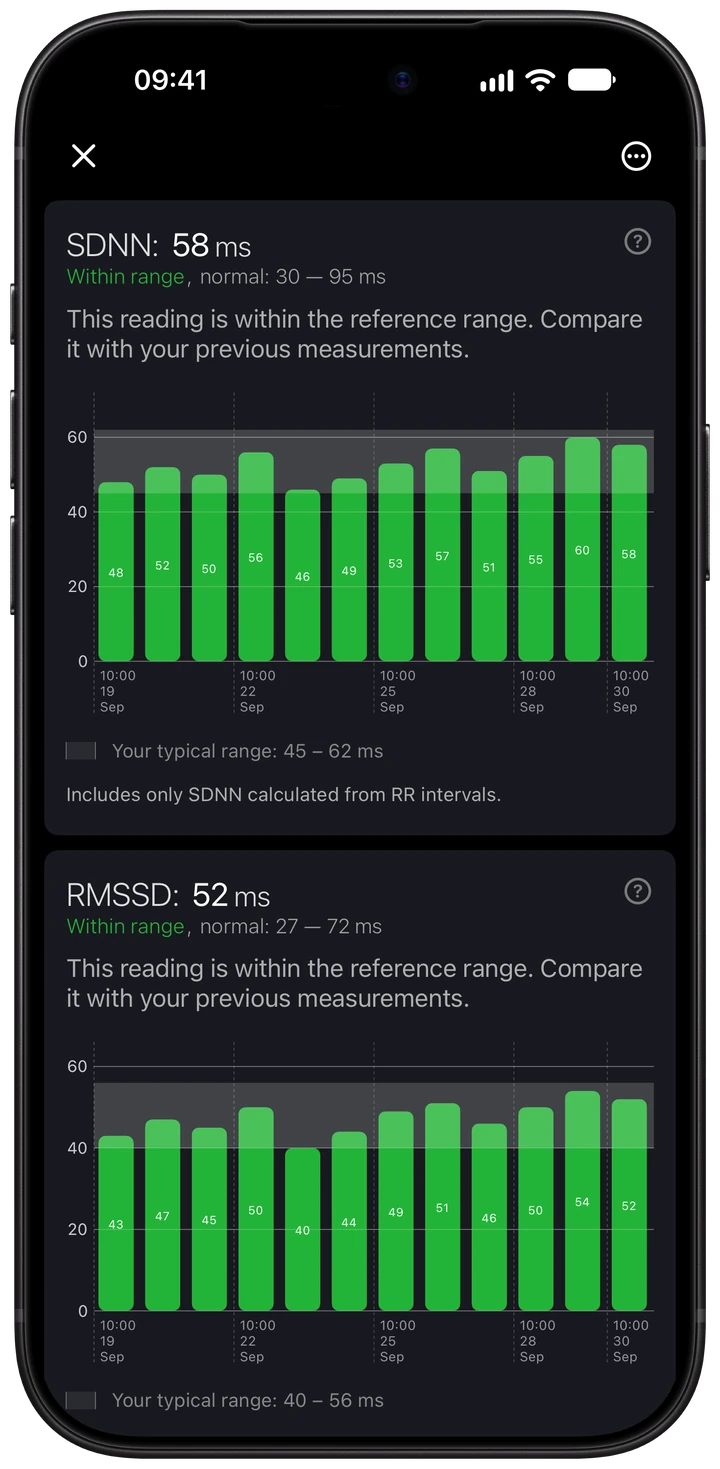
Read your HRV report
Your report shows heart rate and HRV alongside Wellhero’s stress and energy estimates. Open the details to check measurement quality and see individual metrics, including RMSSD and SDNN.
Our stress monitor app for iPhone and Apple Watch shows how to take a reading and understand the stress result.
Follow your readings over time
The charts show your previous measurements so you can compare them with today’s reading. Each metric has an explanation to help you understand the numbers.
HRV values depend on the metric and measurement conditions. Keep the device and measurement routine consistent when comparing your readings.
Choose how you measure
| Method | What you need |
|---|---|
| iPhone camera | Your iPhone and the Wellhero app. Follow the camera measurement instructions in the app. |
| Apple Watch | Your Apple Watch connected to Apple Health, with the permissions requested by Wellhero. Follow the app’s measurement instructions. |
| Bluetooth monitor | A supported heart rate monitor that provides the beat interval data needed for HRV analysis. |
Available measurements and report details depend on the data source. Check that your monitor is supported before buying it for use with Wellhero.
Frequently asked questions
Do I need an Apple Watch to measure HRV?
No. You can measure HRV with your iPhone camera. Wellhero also supports Apple Watch and compatible Bluetooth monitors.
Which HRV metrics can I see?
Detailed reports include RMSSD and SDNN when your measurement contains the data needed to calculate them. They measure heart rate variability differently, so compare the same metric across readings.
Do the screenshots show paid features?
Yes. These screenshots show a Wellhero Pro report with demonstration data. Some detailed analysis features require Pro; you’ll find subscription options and current prices in the app.
Is Wellhero a medical diagnostic tool?
Wellhero is a wellness app. Its readings and estimates are not a medical diagnosis or a replacement for professional medical care.
Start measuring your HRV
Take your first camera measurement with Wellhero.
Download Wellhero on the App Store