
WHOOP alternative: keep your Apple Watch
If you already own a compatible Apple Watch, you can track most of the everyday health metrics covered below without buying another wearable. Wellhero uses the data you share through Apple Health to help you understand your recovery, sleep and daily strain.
Start with HRV, heart rate, sleep and breathing rate. Supported watch models also record wrist temperature and blood oxygen. The table below shows the overlap with WHOOP and the limits that matter when choosing.
Download Wellhero on the App StoreWritten by the Wellhero team. Apple and WHOOP information checked against official sources on .
Which health metrics can you get with Apple Watch?
A second wearable is optional for these everyday measurements. Apple's heart monitoring, sleep tracking and Vitals documentation describes what compatible watches can record. Wellhero reads the available data with your permission.
Swipe the table sideways to see both options.
| What you want to track | Apple Watch + Wellhero | WHOOP |
|---|---|---|
| Heart rate and HRV | Use available heart rate, resting heart rate and HRV readings in Wellhero reports. | Tracks heart rate, resting heart rate and HRV. Health metrics. |
| Sleep | Apple Watch records sleep duration and stages. Wellhero adds sleep reports and history; detailed reports require Pro. | Includes Sleep insights in its wearable memberships. Included features. |
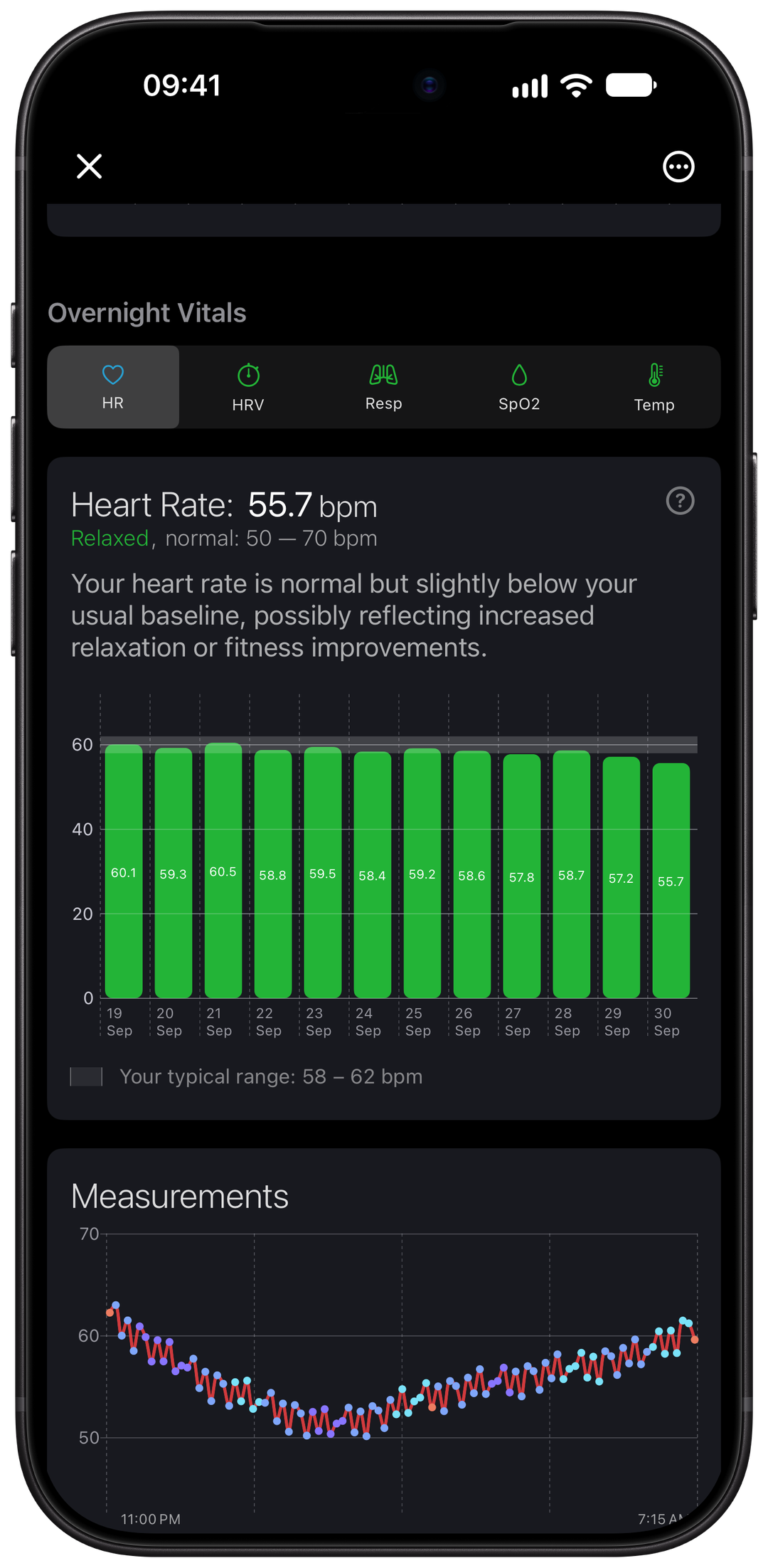
| Breathing rate | View the available overnight respiratory rate in Wellhero's sleep report. | Tracks respiratory rate during sleep. Health metrics. |
| Temperature | View overnight wrist temperature when a supported Apple Watch supplies it. | Tracks skin temperature against a personal baseline. Temperature tracking. |
| Blood oxygen | View available SpO2 data. Recording and availability depend on your watch model and region. | Includes blood oxygen among its Health Monitor metrics. Health metrics. |
| Recovery and strain | Wellhero calculates its own Recovery and Strain estimates from available data. | Provides its own Recovery and Strain insights. Included features. |
These are overlapping types of data, not a claim of identical readings or accuracy. Recovery and Strain are calculated estimates, so you should not expect the same scores in both apps.
Make more use of the watch you already wear
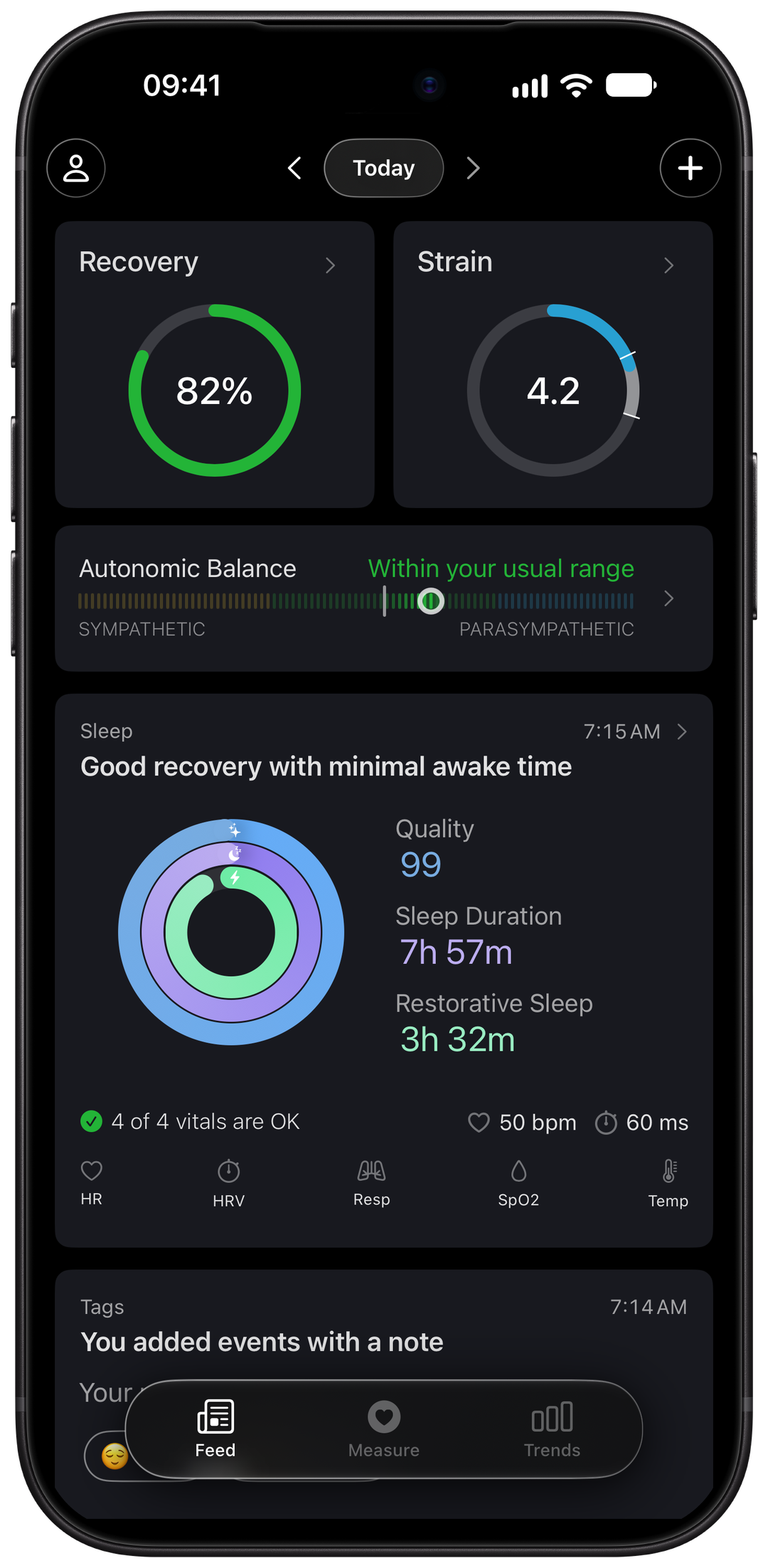
Open Wellhero in the morning to review your Recovery and the sleep data available from the night. The overnight report lets you inspect individual metrics and compare them with your usual ranges.
During the day, follow your accumulated Strain and return to a workout to review the recorded heart rate and training load. You can look back through the calendar to see those reports in the context of previous days.
The Recovery score and its HRV and resting heart rate charts are available without Pro. Detailed sleep and overnight reports, some additional analysis and access to older history require Pro.
See how recovery tracking works in Wellhero and the Apple Watch HRV guide.
Do you need another device and membership?
WHOOP's wearable memberships include a WHOOP device and access to its app. With Wellhero, an Apple Watch you already own can supply the data for your daily reports. You can try Recovery before deciding whether you want Pro. See WHOOP's current membership options.
WHOOP may suit you if you prefer a dedicated tracker without a screen and longer gaps between charges. WHOOP advertises more than 14 days of battery life for its 5.0 and MG devices. That can matter if charging your watch interrupts overnight tracking. WHOOP's device overview.
If your main reason for considering another wearable is to see your HRV, sleep or overnight trends, check what your Apple Watch already records first. Wellhero can help you use that data without adding another band to your routine.
Start with Apple Watch and Wellhero
- Install Wellhero on your iPhone and allow access to the Apple Health data needed for the reports you want.
- Set up sleep tracking and wear your Apple Watch to bed. Follow Apple's sleep setup instructions and leave enough charge for the night.
- After your watch syncs, open Wellhero to review the available Recovery and sleep data. Personal ranges need enough suitable history.
For an individual HRV reading, you can also use a supported Mindfulness Breathe session or measure HRV with your iPhone camera. Camera readings do not replace overnight sleep tracking.
Questions about using Wellhero as a WHOOP alternative
Can Apple Watch replace WHOOP for everyday health tracking?
For the measurements in the table, a compatible Apple Watch covers much of the same ground. Choose based on the reports you use, the fit of the device and your charging routine. This comparison does not claim that Apple Watch reproduces every WHOOP feature.
Will every Apple Watch record all these metrics?
No. For example, Apple lists wrist temperature on Series 8 and later and all Ultra models. Blood oxygen has model and regional restrictions. Check Apple's current requirements; Wellhero can only use readings that exist and that you allow it to access.
Will my WHOOP Recovery score appear in Wellhero?
Wellhero calculates its own Recovery score from the measurements and history available to it. It does not copy WHOOP's score. See the Recovery guide for how Wellhero selects its HRV reading.
Is Wellhero free to try with my Apple Watch?
Yes. You can use the Recovery score and its HRV and resting heart rate charts without Pro. Detailed sleep reports and other Pro features have separate access requirements, shown in the app.
Try Wellhero with your Apple Watch
Connect your available Apple Health data and open Recovery to see what your existing watch can tell you.
Download Wellhero on the App Store