
10 Best Apple Watch HRV & Stress Apps in 2027
By Wellhero · Updated
An HRV app can help you make sense of the readings on your Apple Watch. Some focus on morning recovery and training targets. Others put stress trends on your wrist or let you explore months of heart data.
Among these ten apps, Athlytic is geared toward training, while StressWatch focuses on checking stress. Wellhero offers individual HRV reports alongside recovery, sleep and workout analysis. The comparison below will help you decide which approach fits your routine.
This 2027 guide covers features available as of October 26, 2026. Check the current App Store listing for device requirements and purchase options.
Published by the team behind Wellhero, which is included in this list.
The best Apple Watch HRV and stress apps at a glance
Choose by the information you want to check most often. All ten apps work with Apple Watch; the detailed analysis usually lives on iPhone.
| App | A good fit for |
|---|---|
| Wellhero | Detailed HRV and stress reports alongside daily recovery |
| Athlytic | Recovery scores and daily exertion targets for training |
| Bevel | A broad dashboard for recovery, habits and fitness |
| StressWatch | Stress trends and watch-face widgets |
| Welltory | Explanations of stress and energy patterns |
| Training Today | A quick readiness check with optional workout planning |
| Gentler Streak | Balancing regular exercise with recovery and rest |
| HeartWatch | Heart data and HRV trends with a single purchase |
| AutoSleep | Sleep tracking with HRV-based readiness |
| Heart Analyzer | Heart charts, Watch complications and exportable reports |
1. Wellhero: detailed HRV reports and everyday recovery
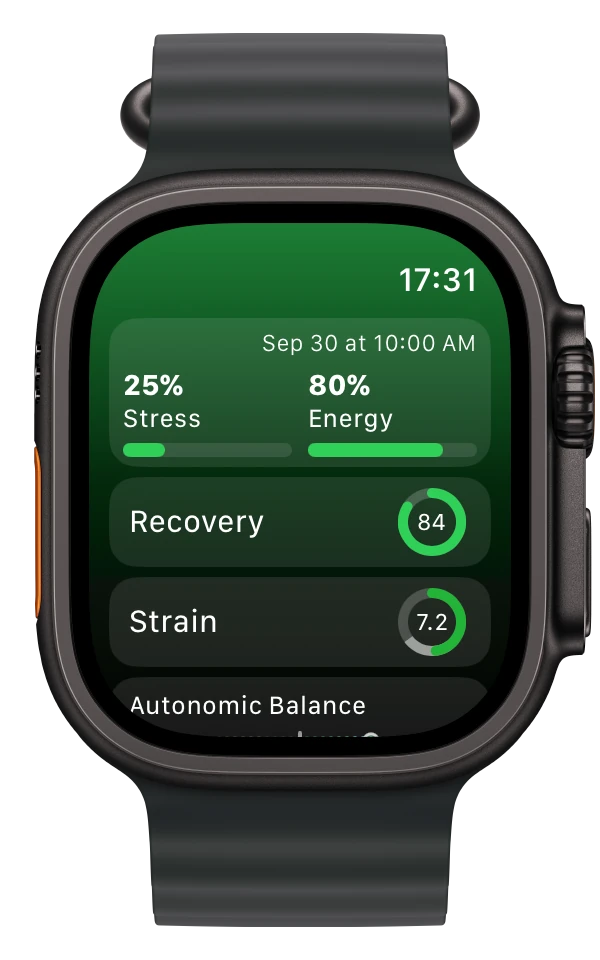
Wellhero shows the details behind an HRV-based stress estimate: Baevsky Stress Index, heart rate, HRV metrics and measurement quality. Open an individual report to inspect a reading or compare it with your history. The separate Recovery screen tracks daily recovery.
The app imports available Apple Watch measurements through Apple Health. To take a measurement yourself, start a Breathe session in Mindfulness, keep still and breathe normally, then select the synced session in Wellhero on iPhone. You can also measure with the phone camera when you are not wearing your watch.
Sleep and workout analysis sit alongside the HRV reports. On the Watch, you can check your latest estimates and their measurement time. Allow time for a new session to sync, and check that timestamp before reading the result.
Free to download, with paid features. Explore Apple Watch HRV tracking, stress reports and recovery in Wellhero, or view Wellhero on the App Store.
2. Athlytic: connecting recovery to training
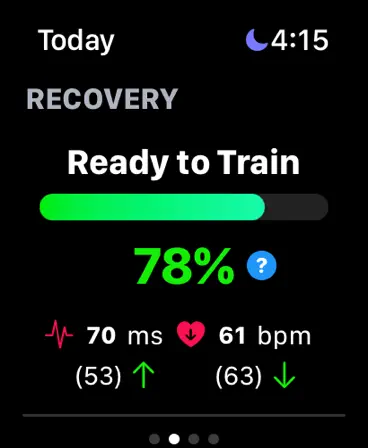
Athlytic uses recovery to help you plan how hard to train. It compares HRV and resting heart rate with your personal baseline, then gives you a Recovery score and a Target Exertion range for the day.
That range helps you judge whether a demanding session fits your current recovery. Sleep analysis, workout tracking and a journal give you more to consider alongside the score.
Check the recovery preferences before comparing days. Athlytic can prioritize sleep or Mindfulness readings, and your choice of HRV method affects the result. Keep those settings consistent. Full access requires a subscription.
Explore Athlytic and read its recovery preferences guide.
3. Bevel: a broad health and fitness dashboard
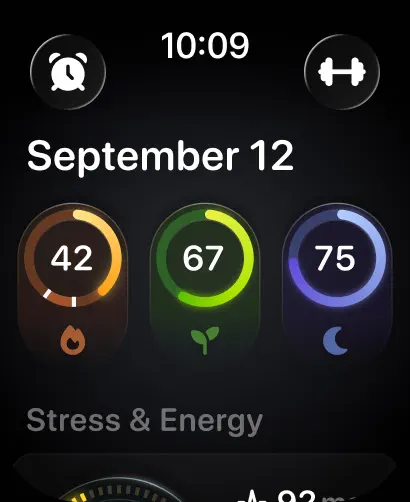
Bevel covers Recovery, Sleep, Strain and Stress, as well as nutrition, strength training and habit logging. It suits anyone who wants to review HRV as part of a broader health and fitness dashboard.
Its HRV settings include SDNN and RMSSD, with options to select readings from sleep or Mindfulness sessions. Different input settings can explain why Bevel and another app show different HRV numbers from the same watch.
The free plan currently includes core tracking and the Watch app. Pro adds Bevel Intelligence, Health Records and Biological Age. If you mainly want recovery tracking, check what Free includes before subscribing. The wider feature set also gives you more to configure than a focused HRV viewer.
See Bevel's membership comparison and HRV calculation settings.
4. StressWatch: checking stress trends on your wrist
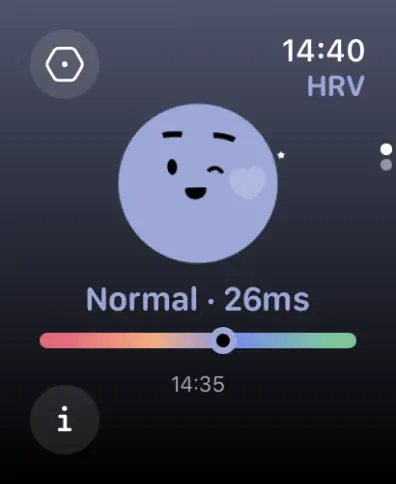
StressWatch puts stress trends on your wrist through customizable Watch widgets. It uses heart rate and HRV information, with longer trend views and breathing activities in the app.
You can check a result on the watch face and open the phone app for a longer view. Habit and mood logs help you record what was happening around a reading.
The displayed estimate can use older heart rate and HRV data, and watch-face refreshes have their own watchOS limits. A change on screen does not necessarily mean the watch has taken a fresh HRV measurement. StressWatch is free to download with in-app purchases.
Visit StressWatch and its explanation of stress estimates and data updates.
5. Welltory: exploring stress and energy patterns
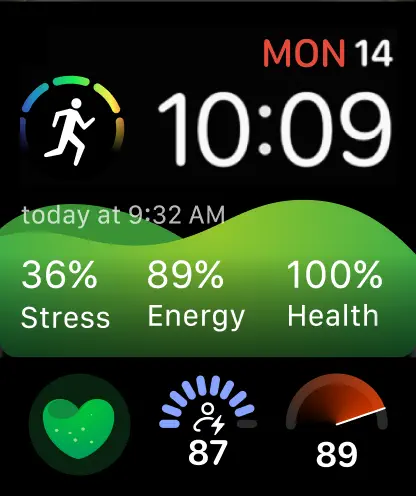
Welltory gives you explanations to read alongside your HRV measurements. Its stress and energy reports draw on those readings, with sleep, activity and journal entries adding context.
Measurements can come from Apple Watch, the phone camera or a supported heart rate monitor. Watch complications show selected results on your wrist. Keep track of the source when comparing readings taken in different ways.
There is more to read and explore here than in a single-score readiness app. Watch complications can also lag behind the phone while results sync. Welltory has free features and a Premium subscription for additional analysis.
See Welltory on the App Store and its Apple Watch measurement guide.
6. Training Today: a quick readiness check
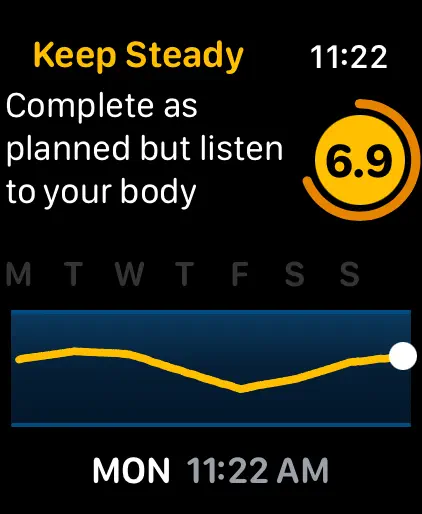
Training Today's Readiness to Train score offers a quick daily check. RTT uses HRV readings from Apple Health and your personal baseline, and a Watch complication keeps it within reach.
The app includes sleep adaptation. Premium adds workout planning and analytics, including suggested sessions and supported structured workouts you can send to Apple Watch.
RTT changes as new readings arrive. Finishing a workout does not guarantee a fresh HRV sample in Apple Health, so the score may stay the same. Current readiness and recent history are available in the free app.
Read how Training Today works and its current feature and data FAQs.
7. Gentler Streak: making room for recovery
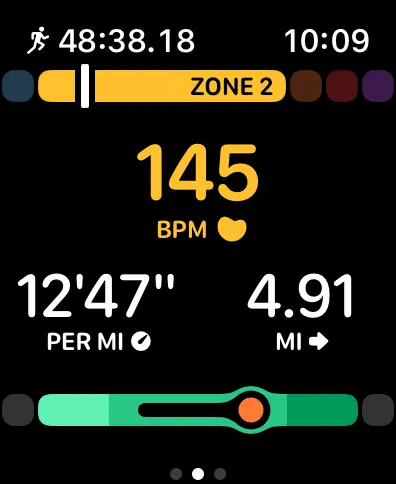
Gentler Streak makes rest part of a regular exercise routine. Daily health metrics and sleep inform workout suggestions, and you can change your activity status to reflect illness, injury or time off.
On Apple Watch, you can track a workout and adjust the duration or intensity of suggested exercise. This approach suits people who want to stay active without continually chasing a higher training target.
Its emphasis is activity guidance and recovery. For inspecting individual HRV measurements, the dedicated HRV and charting apps in this list offer more detail. Gentler Streak is free to download, with monthly, yearly and lifetime Premium options.
8. HeartWatch: exploring your heart data without a subscription
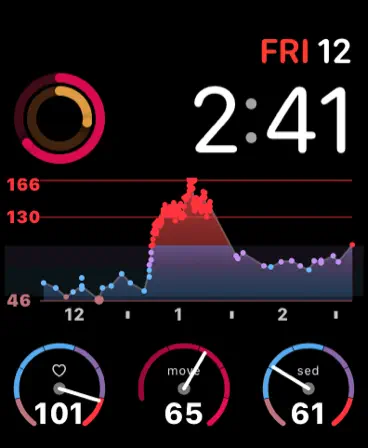
HeartWatch offers dashboards for HRV, waking and sleeping heart rate, workout metrics and trends over time. You can change the period and compare metrics as you look through your history.
A single purchase includes the app, with no ongoing subscription. That makes it an option for anyone who wants detailed heart trends without another recurring payment.
Allow some time to learn the dashboards and the measures they use. Workout heart rate recovery, for example, describes the fall in pulse after exercise. It measures something different from the daily recovery scores elsewhere in this list.
Explore HeartWatch's dashboards and its App Store listing.
9. AutoSleep: putting HRV beside your sleep
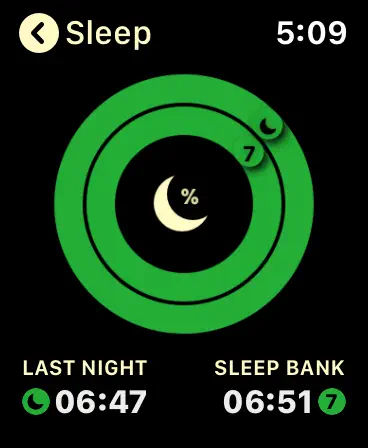
AutoSleep puts sleep at the center of the app. Detailed sleep tracking sits alongside a Readiness view based on HRV and waking pulse, so you can review overnight rest and morning readings together.
Readiness shows your results against a personal baseline. You can use automatic sleeping HRV or take a waking measurement through Mindfulness. Check which option is selected before comparing the result with an app that uses a different time window.
AutoSleep is sold without a subscription. It makes sense if you already wear your Watch overnight and want to spend time reviewing sleep history. For a daytime stress display or a daily training target, consider one of the apps focused on those tasks.
See AutoSleep and its Readiness guide.
10. Heart Analyzer: charts and reports you can keep
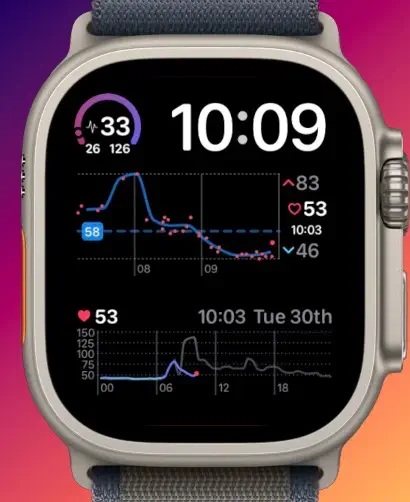
Heart Analyzer gives you HRV and heart rate charts, resting heart rate trends and exportable reports. You can create PDF Heart Reports or export supported metrics as CSV.
Its Watch app has its own charts, complications and workout information. On iPhone, you can review a longer period and prepare a report to share. The emphasis is on inspecting and exporting your data; readers looking for workout suggestions or stress explanations will find those covered more directly by other apps here.
The app is free to download. Premium options vary by region and include subscriptions and lifetime access.
Explore Heart Analyzer and its features, exports and purchase FAQs.
Which app fits your routine?
Think about how you will collect readings. Wearing the watch overnight, taking a morning measurement and checking occasional daytime readings give you different data to work with. Look for an app that explains which readings it uses and when they were recorded.
It is also worth checking what your watch already offers. Series 12 and Ultra 4 have a native readiness experience and Recovery HRV, described in Apple's health and fitness announcement. Choose an additional app for the reports, history or training tools you want to use.
Common questions about Apple Watch HRV apps
Why do two apps show different HRV values?
Check the calculation and the readings behind each number. SDNN and RMSSD are different metrics, and a sleeping average describes different conditions from a single morning reading. Compare the metric, time window and source. Our HRV metrics guide explains the terms.
Can an app track stress continuously?
A displayed stress estimate and a new HRV measurement are separate things. Measurement frequency depends on the watch model and recording conditions, while apps and complications have their own update behavior. Apple explains that Recovery HRV is sampled while you are still. Check timestamps, and read our guide to how often Apple Watch measures HRV.
Does a high stress score mean I feel anxious?
A stress score is an estimate based on physiological data. It cannot tell an app which emotion you are experiencing or diagnose anxiety, so consider what was happening when the reading was taken. It also cannot tell you your cortisol level.
Do I need several apps?
One app is a reasonable place to start. Add another if it serves a specific purpose, such as AutoSleep for sleep history or Heart Analyzer for reports. Several recovery percentages calculated in different ways can make the same Watch data harder to interpret.
If your apps disagree, follow our guide to different HRV readings on the same Apple Watch to compare the formulas, source readings and update times.